GitHub Actions vs. Jenkins: Which CI/CD Tool Actually Wins?
Choosing the right CI/CD platform can significantly impact deployment speed, maintenance overhead, scalability, and engineering productivity.
Rather than relying on hype, let’s break it down using a data-driven comparison.
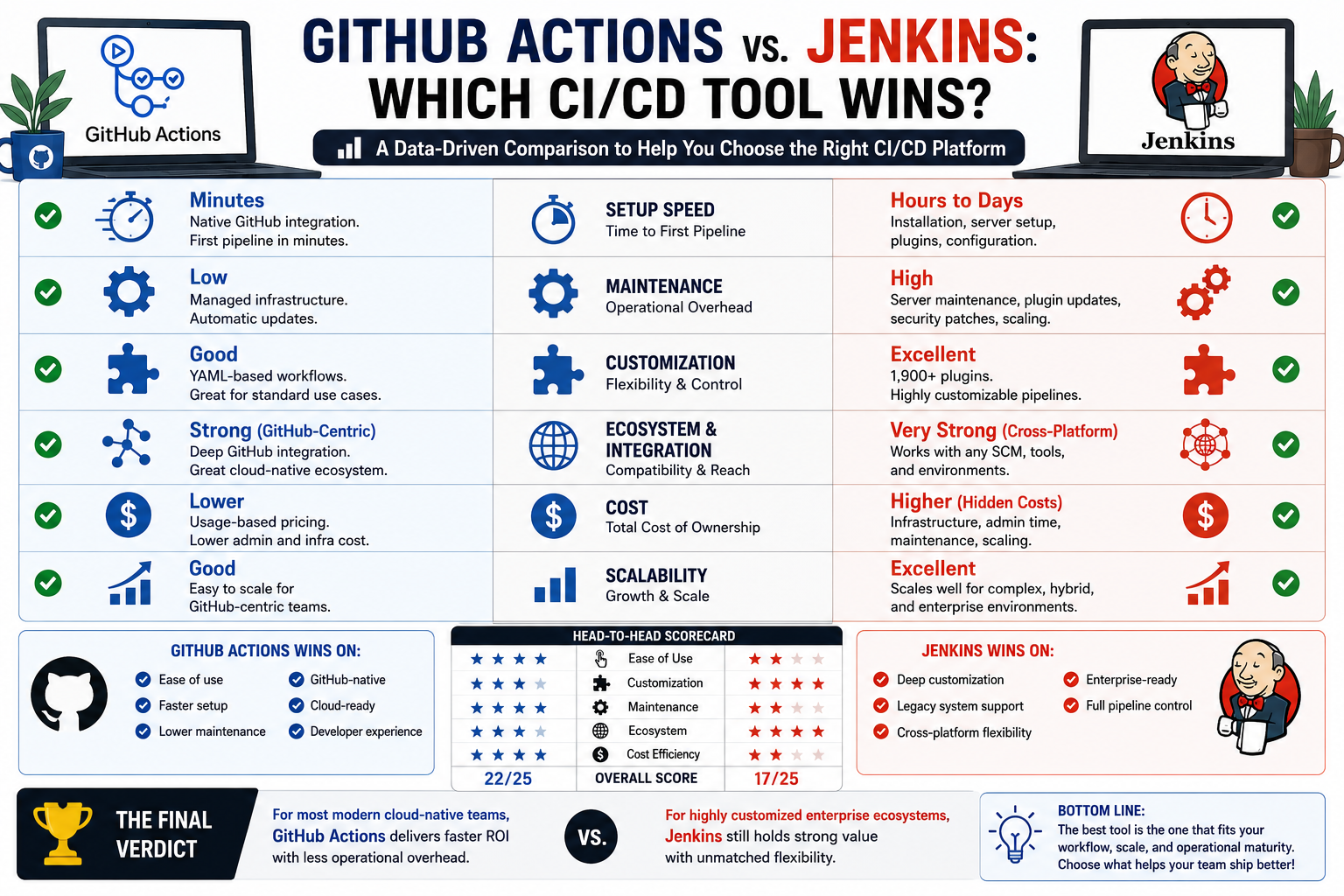
GitHub Actions vs. Jenkins By the Numbers
1️⃣ Setup Speed & Time to First Pipeline
GitHub Actions:
✔ Native GitHub integration
✔ Minimal setup
✔ First pipeline often configured in minutes
Jenkins:
✔ Requires installation, server setup, plugins, and maintenance
✔ Initial setup can take hours to days depending on complexity
Data Insight:
For GitHub-centric teams, GitHub Actions often reduces onboarding time dramatically.
2️⃣ Maintenance Overhead
GitHub Actions:
✔ Managed infrastructure
✔ No server maintenance
✔ Automatic updates
Jenkins:
✔ Self-hosted or managed by your team
✔ Plugin updates, security patches, scaling responsibility
Data Insight:
Jenkins often introduces higher operational overhead, especially for smaller teams.
3️⃣ Customization & Flexibility
GitHub Actions:
✔ Excellent for standard workflows
✔ YAML-based automation
✔ Marketplace integrations
Jenkins:
✔ Extensive plugin ecosystem (1,900+ plugins)
✔ Highly customizable pipelines
✔ Supports complex hybrid infrastructures
Data Insight:
Jenkins remains stronger for organizations with legacy systems or highly specialized workflows.
4️⃣ Ecosystem & Integration
GitHub Actions:
✔ Best for GitHub repositories
✔ Strong cloud-native integrations
✔ Excellent developer experience
Jenkins:
✔ Broader cross-platform flexibility
✔ Works well beyond GitHub
✔ Often favored in mixed enterprise environments
…Which is the winner, Github Actions or Jenkins?
To be contd. »>Part2