CI/CD Pipeline Explained: Tools, Steps, and Benefits
Trying to understand what a CI/CD pipeline actually does?
Here’s a simple way to break it down:
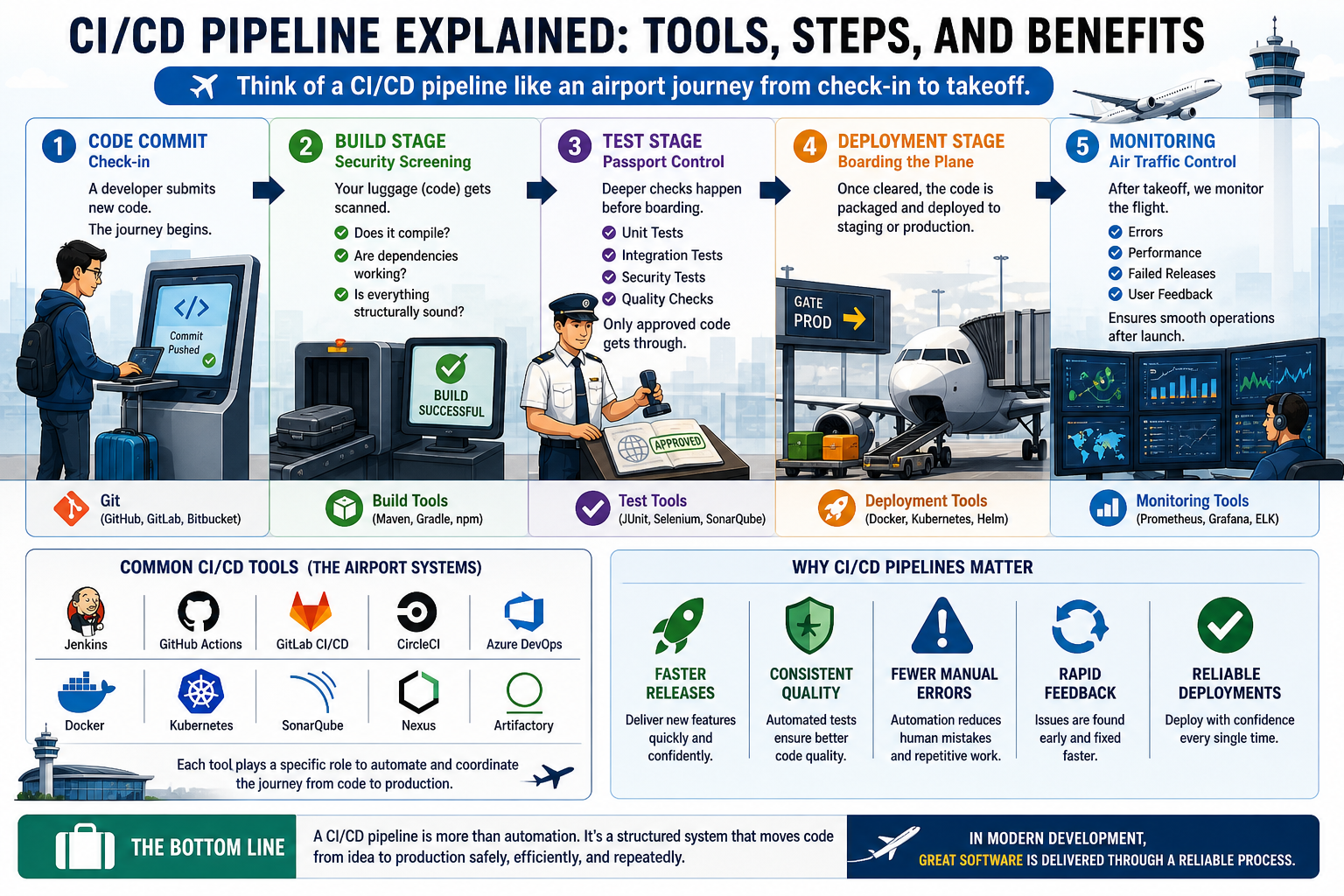
Think of a CI/CD pipeline like an airport journey from check-in to takeoff.
1️⃣ Code Commit Is Check-In
A developer submits new code just like a traveler checking in at the airport.
This is where the journey begins.
2️⃣ Build Stage Is Security Screening
Your luggage (code) gets scanned.
The system checks:
Does it compile?
Are dependencies working?
Is everything structurally sound?
If something fails here, it doesn’t move forward.
3️⃣ Test Stage Is Passport Control
Before boarding, deeper checks happen.
Automated tests verify:
✔ Functionality
✔ Integration
✔ Stability
Only approved code gets through.
4️⃣ Deployment Stage Is Boarding the Plane
Once cleared, the code is packaged and deployed to staging or production.
This is where software officially “takes off.”
5️⃣ Monitoring Is Air Traffic Control
Even after takeoff, flights are monitored.
CI/CD pipelines track deployments for:
Errors
Performance issues
Failed releases
This ensures smooth operations after launch.
Common CI/CD Tools (The Airport Systems)
Just like airports rely on specialized systems, CI/CD uses tools such as:
✔ GitHub Actions
✔ Jenkins
✔ GitLab CI/CD
✔ CircleCI
✔ Docker
✔ Kubernetes
Each tool helps automate and coordinate the journey.
Why CI/CD Pipelines Matter
Without a pipeline, software delivery can feel like unmanaged travel chaos.
With one, teams gain:
✔ Faster releases
✔ Consistent quality
✔ Fewer manual errors
✔ Rapid feedback
✔ Reliable deployments
A CI/CD pipeline is more than automation.
It’s a structured system that moves code from idea to production safely, efficiently, and repeatedly.
Because in modern development, great software isn’t just built, it’s delivered through a reliable process.
How do you explain CI/CD pipelines to beginners?
Share your analogy below 👇