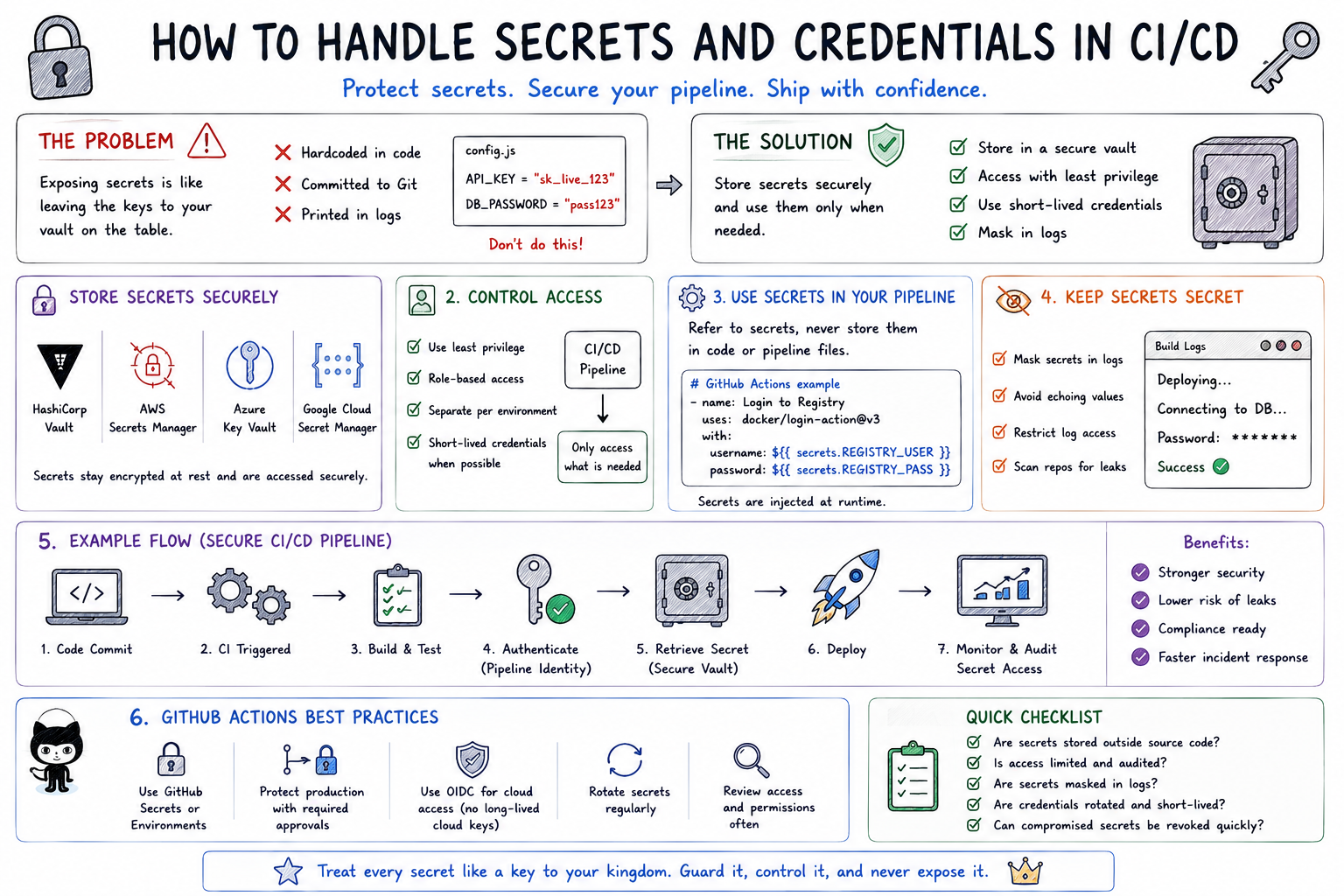
🔐 How to Handle Secrets and Credentials in CI/CD
Ever wondered where passwords, API keys, tokens, and cloud credentials should live in a CI/CD pipeline?
One thing is certain:
🚫 They should not live inside your source code.
Here’s a simple way to understand secrets management:
🏦 Think of your CI/CD pipeline like a bank.
The pipeline moves valuable assets from one place to another.
But you wouldn’t leave the keys to the bank vault sitting on the reception desk.
You protect them, control who can access them, and monitor when they’re used.
That’s exactly how CI/CD secrets should be handled.
🔑 1️⃣ Secrets Are the Keys to the Vault
Applications often need sensitive information to communicate with other systems.
These may include:
🔑 API keys
🔐 Database passwords
🎟️ Access tokens
☁️ Cloud credentials
📜 Certificates and private keys
These credentials can unlock critical systems.
If attackers obtain them, they may gain access to applications, infrastructure, databases, or cloud resources.
That’s why secrets should be treated like keys to your organization’s vault.
🚫 2️⃣ Never Store Secrets in Source Code
Imagine writing your bank vault combination on a piece of paper and pinning it to the office noticeboard.
That’s essentially what happens when credentials are hardcoded into application code.
For example:
DATABASE_PASSWORD = “MySecretPassword123”
Once committed to Git, the secret may remain in the repository’s history even if the line is later removed.
Instead:
❌ Don’t hardcode credentials.
❌ Don’t commit .env files containing real secrets.
❌ Don’t place passwords directly inside pipeline configuration.
✅ Retrieve secrets securely when the pipeline needs them.
🏦 3️⃣ Use a Secure Secrets Vault
Banks don’t leave valuable assets lying around.
They put them inside a vault.
CI/CD pipelines should do the same.
Secrets can be stored using dedicated secret-management systems such as:
🔐 HashiCorp Vault
☁️ AWS Secrets Manager
🔑 Azure Key Vault
☁️ Google Cloud Secret Manager
These systems allow applications and pipelines to retrieve credentials securely when needed.
💡 The secret stays in the vault until an authorized process requests it.
⚙️ 4️⃣ Use Your CI/CD Platform’s Secret Management
Modern CI/CD platforms also provide mechanisms for storing sensitive values.
For example:
🐙 GitHub Actions → GitHub Secrets
🦊 GitLab CI/CD → CI/CD Variables
⚙️ Jenkins → Credentials
Instead of writing a password directly into your pipeline, you reference the stored secret.
The pipeline knows where to retrieve it without exposing the actual value in your source code.
To be contd. »>Part 2