🔐 How to Handle Secrets and Credentials in CI/CD Part 2
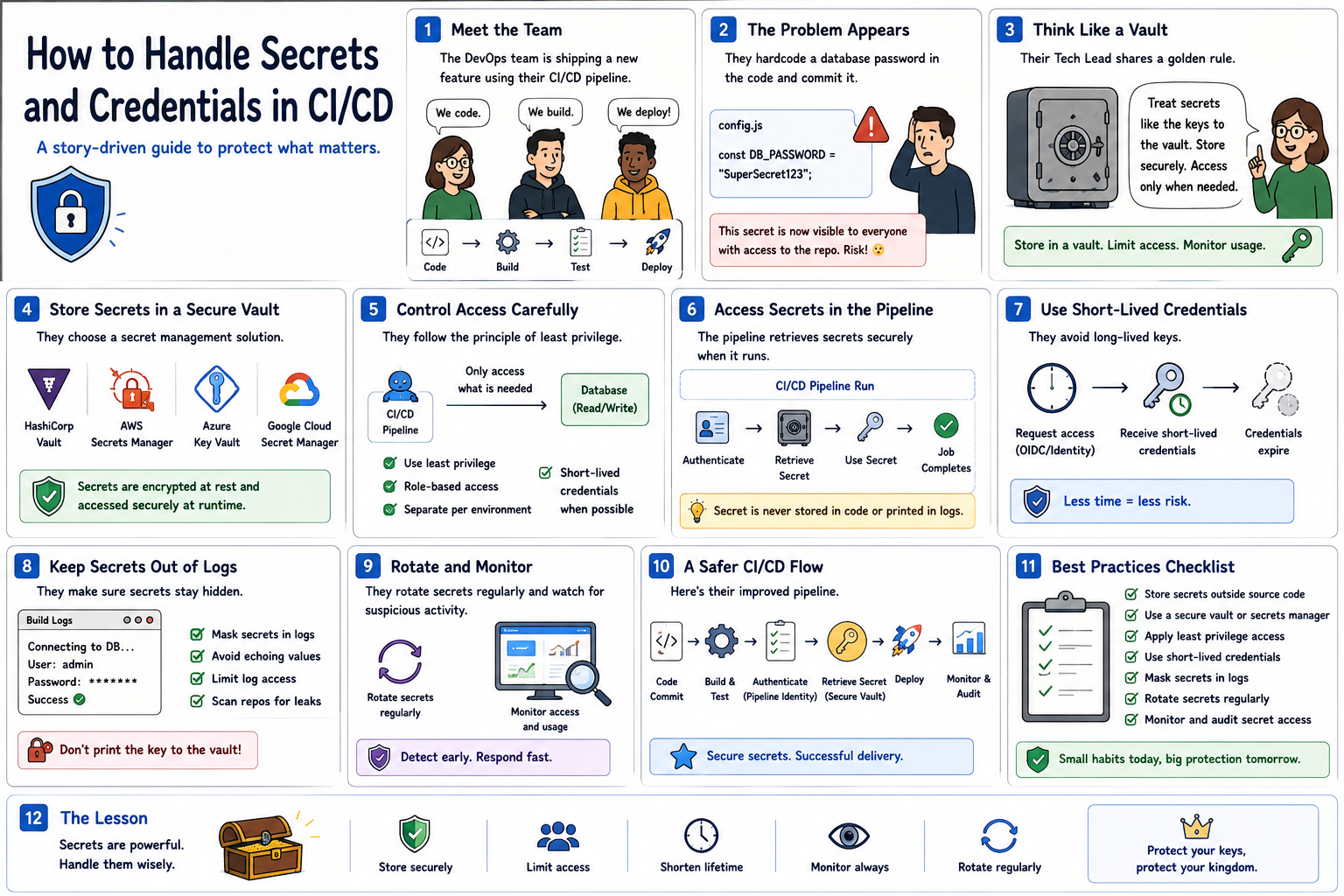
👤 5️⃣ Follow the Principle of Least Privilege
Imagine giving every bank employee the master key to every vault.
That would be unnecessary—and dangerous.
The same principle applies to CI/CD.
A pipeline should receive only the permissions required to perform its task.
For example:
If a deployment pipeline only needs permission to deploy one application…
Don’t give it administrator access to your entire cloud environment.
Use:
✅ Role-Based Access Control
✅ Limited service accounts
✅ Environment-specific permissions
✅ Short-lived credentials where possible
🎯 Give pipelines what they need—not everything they could possibly access.
⏳ 6️⃣ Prefer Short-Lived Credentials
Imagine a bank access card that automatically expires after one hour.
Even if someone steals it, its usefulness is limited.
Modern CI/CD systems can use temporary credentials instead of permanent passwords.
For example:
Pipeline starts
⬇️
🔐 Authentication occurs
⬇️
🎟️ Temporary credential issued
⬇️
🚀 Deployment happens
⬇️
⏳ Credential expires
This reduces the risk associated with long-lived credentials.
🔄 7️⃣ Rotate Secrets Regularly
Imagine using the same vault combination for ten years.
The longer it exists, the greater the opportunity for it to be compromised.
Secrets should be rotated when appropriate.
That includes:
🔑 API keys
🔐 Passwords
🎟️ Tokens
📜 Certificates
Automation can make rotation easier and reduce manual mistakes.
And if a credential is suspected of being exposed?
🚨 Revoke and replace it immediately.
🧾 8️⃣ Keep Secrets Out of Logs
There’s another common problem.
Your secret may be stored securely…
But your pipeline accidentally prints it into the build logs.
😬 Now anyone with access to those logs may be able to see it.
CI/CD systems should:
✅ Mask sensitive variables
✅ Avoid printing environment variables unnecessarily
✅ Restrict access to pipeline logs
✅ Prevent debugging commands from exposing credentials
💡 Protecting the vault is useless if you accidentally print the combination on the receipt.
☸️ 9️⃣ What About Kubernetes?
Suppose your CI/CD pipeline deploys an application to Kubernetes.
The application needs a database password.
Instead of embedding the password inside the container image:
🐳 Docker builds the application image.
⬇️
🚀 CI/CD deploys it.
⬇️
☸️ Kubernetes provides the required secret to the workload.
Kubernetes provides a Secret resource for holding sensitive configuration separately from application code.
For stronger security requirements, Kubernetes can also integrate with external secret-management systems.
The important idea is:
🎯 Keep application code, container images, and sensitive credentials separate.
To be contd. »>Part 3