How to Handle Secrets and Credentials in CI/CD Part 5 — Step 4: Go Further With Short-Lived Cloud Credentials
🔐 How to Handle Secrets and Credentials in CI/CD Part 5
⏳ Step 4: Go Further With Short-Lived Cloud Credentials
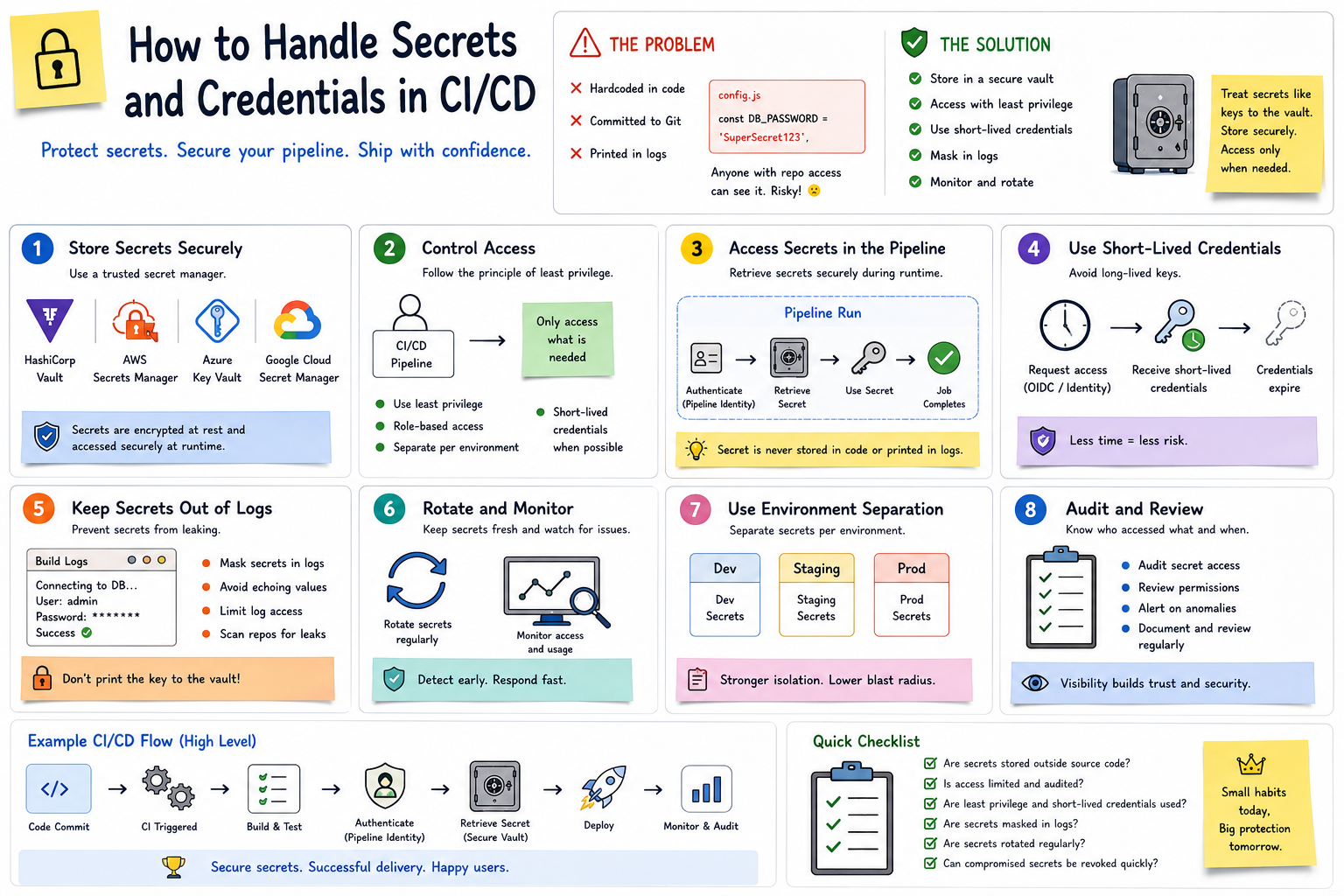
Storing secrets securely is better than hardcoding them. But there’s an even stronger approach for many cloud deployments: Avoid storing long-lived cloud credentials whenever possible. GitHub Actions supports OpenID Connect (OIDC) authentication with major cloud providers. Instead of storing a permanent cloud access key:
GitHub Actions starts
⬇️
🪪 GitHub provides an identity token
⬇️
☁️ Cloud provider verifies the workflow’s identity
⬇️
🎟️ Temporary credentials are issued
⬇️
🚀 Deployment occurs
⬇️
⏳ Credentials expire
Think of it like replacing a permanent master key with a temporary access badge that automatically expires after the job is finished.
🎯 The Security Lesson
A basic approach is: GitHub Actions ↓ GitHub Secrets ↓ Authenticate ↓ Build ↓ Deploy
A more mature cloud approach can be: GitHub Actions ↓ OIDC Authentication ↓ Temporary Cloud Credentials ↓ Deploy ↓ Credentials Expire
Both are far safer than: Source Code ↓ Hardcoded Password 😬 ↓ Git Repository
The principle remains the same:
🔐 Store secrets outside your code.
👤 Limit who and what can access them.
🛡️ Protect production environments.
⏳ Prefer short-lived credentials where possible.
🚫 Never print sensitive values into your pipeline logs.
In modern CI/CD, the best secret is often one your pipeline doesn’t have to permanently store at all. To be contd. »Part 6
#Kubernetes #KubernetesNetworking #DevOps #SRE #CloudComputing #AWS #Azure #CNI #Calico #Cilium #Ingress #ServiceMesh #LinuxNetworking #NetworkEngineering #DevSecOps #CloudNative